¶ Introduction
We have a Bambu P1S that is great for printing most types of filaments due to it's high temperature hotend and enclosure. It has auto bed leveling, auto-runout detection, and a 4 roll AMS system for multi colour printing.
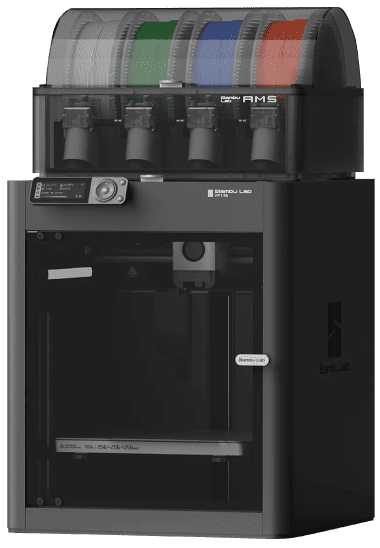
A picture of the Bambu P1S with AMS (automatic material system)
¶ Recommended Uses
This printer can print most types of filaments, unlike the A1 minis (printer 1 & 2) which are restricted to PLA/PETG only.
¶ Specifications
- Names: Printer 3
- Usage Cost: $1.50/hr (50% off for BYO filament)
- Induction Class: 🟡 Orange Tool (Induction Required)
- Print Area: 256mm(L) x 256mm(W) x 256mm(H)
- Nozzle Size: 0.4mm
- Max Nozzle Temp: 300°C
- Layer Heights: 0.1mm - 0.45mm
- Max Bed Temp: 100°C
- Supported Filaments: PLA, PETG, TPU, PVA, PET, ABS, ASA (note that we only supply PLA and limited PETG/ABS options)
¶ Connecting via Bambu Slicer
You may be required to enter an access code for the printers when you try to connect to them from Bambu Slicer. Enter the appropriate access code as written below.
| Printer Name | Access Code | Position |
|---|---|---|
| Printer 1 (AMS) | See Here | Right |
| Printer 2 | See Here | Middle |
| Printer 3 | 99039989 |
Left |
¶ Induction Process
💻 This tool uses our self-service online induction system.
Please read this entire wiki page before starting the induction. All of our Bambu filament printers can be used after completing this induction, including printer 1 & 2.
¶ Induction Steps
- Read this entire wiki page and refer back to it if needed during the online induction.
- Open the link below, login with your member portal account, then tap the enroll button:
https://learn.brisbanemaker.space/course/view.php?id=3
After you've completed the online induction, you can use this tool immediately. However, if you want some support using it, please drop by a Monday open night or ask in #digifab on Discord.
¶ Safety and Usage Instructions
Please consult the wiki page for printer 1 & 2 (tap here). All of the safety information, usage instructions and information is the same.