¶ Introduction
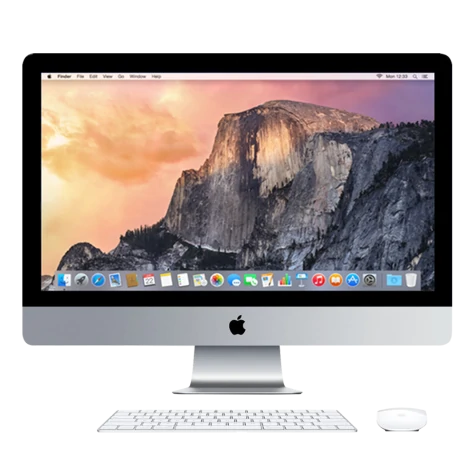
Our Macs are setup with all of the software you need to run our digital fabrication tools. You can also use them (when others are not using them to operate tools) for CAD and graphic design tasks.
¶ How to use
Whilst we take reasonable precautions, we make no guarantees as to the security or reliability of these machines. BMS cannot be held responsible for any viruses, data loss, or other losses resulting from the use of our computers. They are regularly erased/reset and you should not expect data stored on them to be kept long term.
Each Mac should have a "Brisbane Makerspace" user account at minimum. This is the account you should use. If the Mac is not logged in, you can simply click on the "Brisbane Makerspace" user to automatically login. If prompted for a password, leave it blank and press enter.
Our Macs run macOS, which may look unfamiliar if you're used to using Windows on a PC or other laptop. They are very user friendly, and simple to use. The main difference is you use command + shortcut_key instead of control + shortcut_key for keyboard shortcuts like copy/pasting. The other main difference is the program to access your files is called "Finder" (the blue/white smiley face) rather than "File Explorer". You can also press command + space for spotlight search to find files or applications similar to the start menu.
¶ iMacs (integrated screen)
The USB ports (ie for connecting a flash drive) are located on the rear right hand side. The power button is located on the rear left hand side.
¶ Mac Mini (external screen)
The USB ports (ie for connecting a flash drive) are at the rear of the Mac Mini box. The power button is located on the rear right hand side.
¶ Do not turn off
Do not shut down or power off any of our Macs when you are finished. They will automatically go to sleep after a few minutes so you can just wiggle the mouse to wake them up.
¶ Specifications
Induction class: Green Tool (No induction required)
Operating System: macOS
¶ Macs
Laser Mac Mini (2020): M1 CPU / 16GB RAM
Cricut iMac (late 2012): i5 CPU / 8GB RAM
The Cricut iMac has been upgraded with a solid state drive and software patch to enable recent macOS versions but otherwise remains stock. DO NOT UPDATE.
¶ Other Computers
CNC Computer: Dell micro desktop in the basement that runs Windows + Fusion360 for the CNC.
Old Laser iMac: Flashed with Ubuntu Linux due to age and sits next to the laser Mac Mini. Can be used by members to experiment with Linux.
¶ Available Software
The following software is available on all of the Macs we have on site. Some have specifc additional software as detailed below. If you would like additional software installed, please ask in Discord.
¶ All Macs
- Bambu Studio - slicing software for our Bambu 3D printers.
- Chitubox - slicing software for Elegoo resin 3D printers.
- Cricut Design Studio - for operating the cricut cutter.
- Affinity Designer - good vector editing software.
- Affinity Photo - good photo editing software.
- Inkscape - open source vector editing software.
- GIMP - open source photo editing software.
¶ Laser Mac (next to laser cutter)
- Lightburn - to operate the laser cutter.