¶ How to use our Canva account
Because we're a charity, we get free access to Canva. To get access to Canva, you need an @brisbanemaker.space google account setup for you. To get one of these google accounts, you need to have a volunteer agreement in place.
If you've got an @brisbanemaker.space google account, or once you get one sorted, follow the steps below.
¶ Login to Canva
-
Go to https://www.canva.com and click the login button at the top right of the page or download and open the mobile app.
-
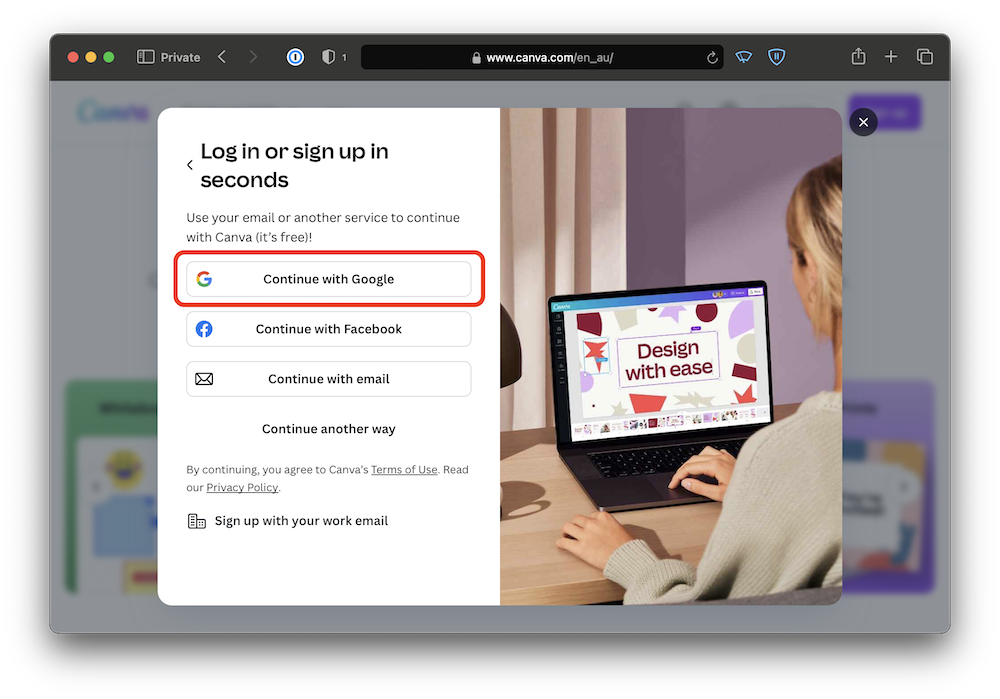
Tap the "Continue with Google" button and select your @brisbanemaker.space account from the list, or login.
-
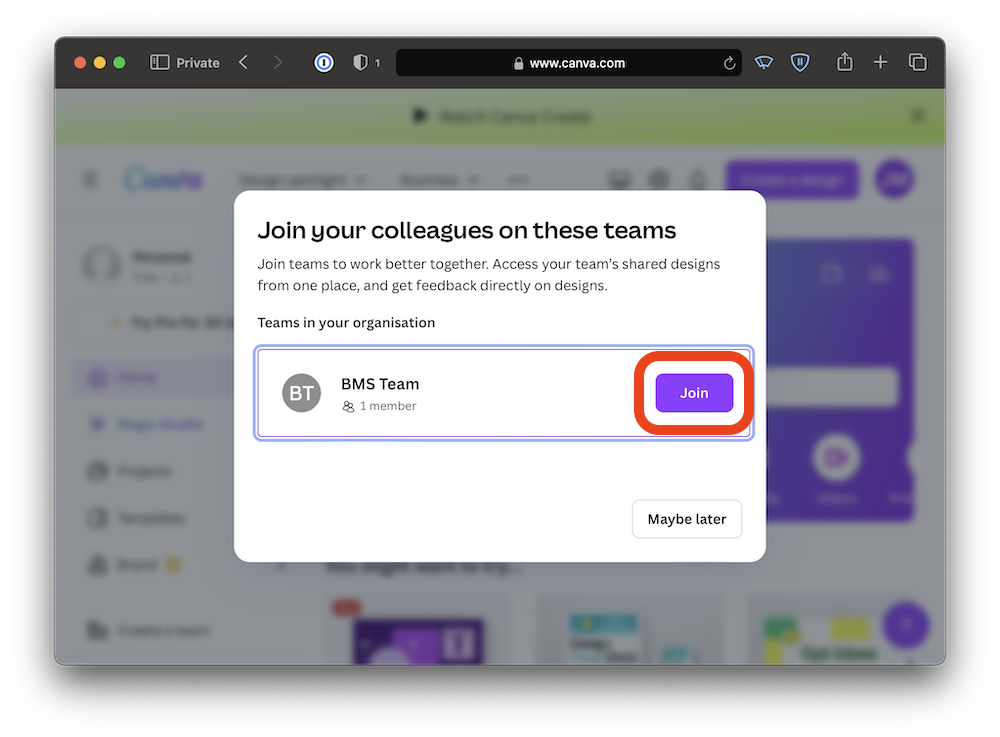
Once you've logged in, you must accept this prompt. If you accidentally close it, please ask for help in Discord.
-
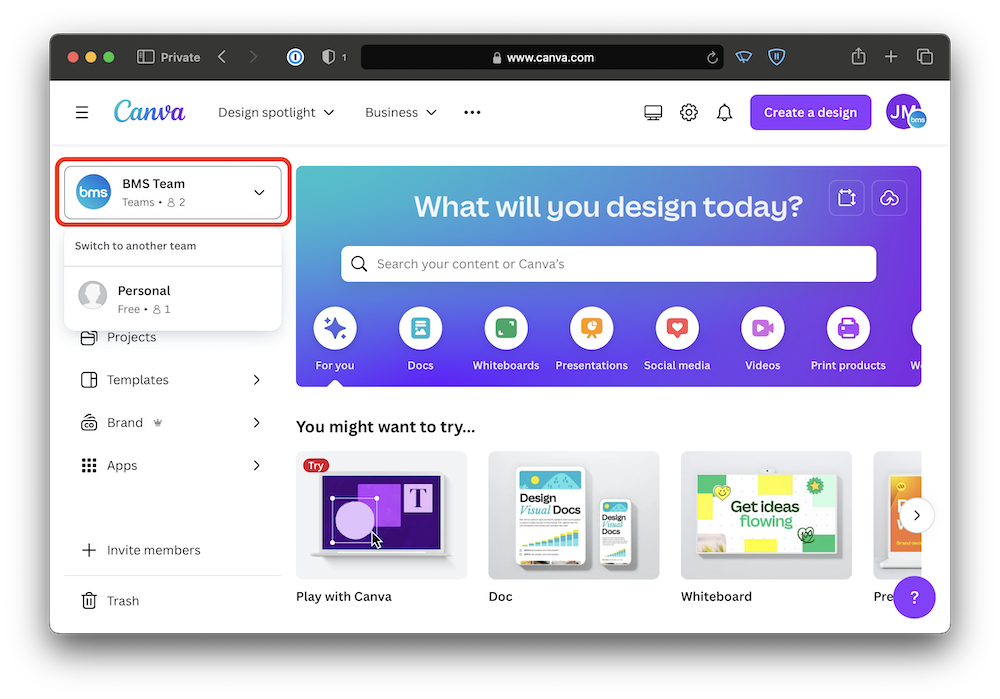
Once you've accepted the prompt, you'll have access to two teams. Your "Personal" team can be used however you like, but does not have access to canva premium features. To access the BMS brand templates, shared designs, and premium Canva features, you need to switch to "BMS Team".
¶ How to share you designs with BMS Team
You must share access to all designs (except those for personal use) using the instructions below.
By default, when you create a new design only you have access to it so you need to share with everyone. In extreme cases, the committee may decide to transfer all of your account's designs to the committee account. For example, if you can't be contacted and someone needs urgent access to a design, or if you leave BMS.
-
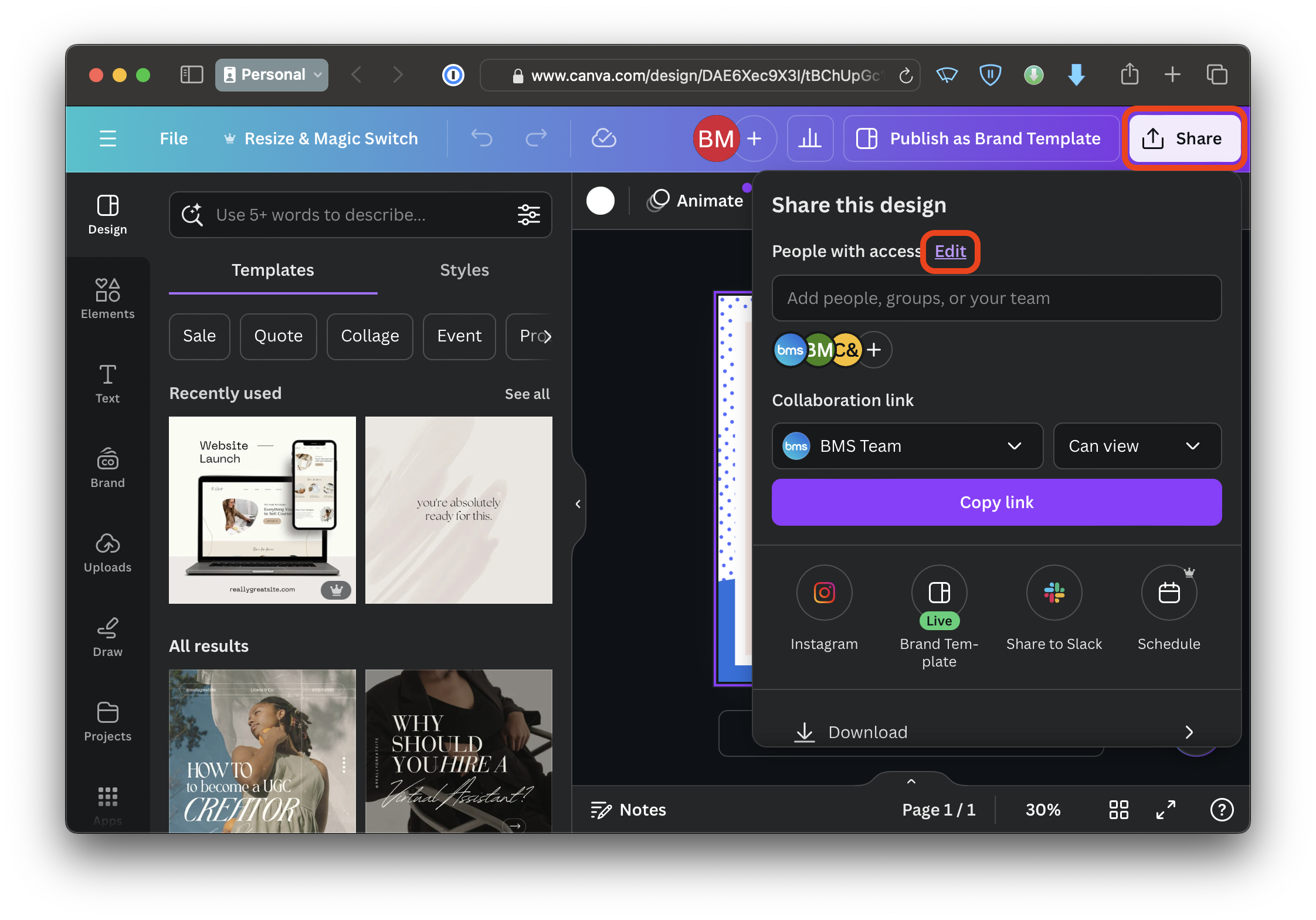
After you've saved a design, tap the share button, then tap "Edit".
-
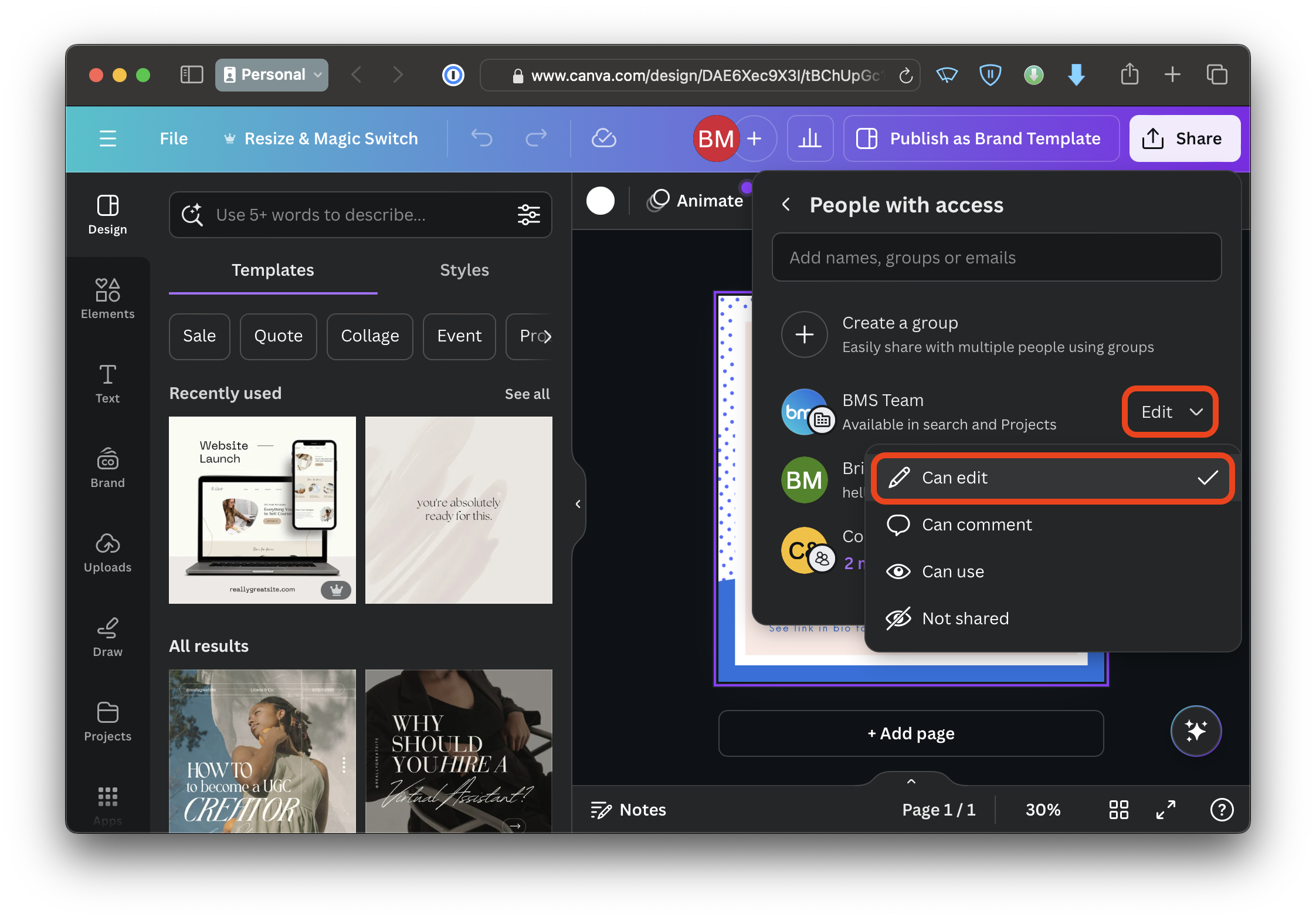
Under the BMS Team item, change the permission to "Can edit".
¶ How to use brand templates
If you want to use one of the BMS templates to create a new event cover photo, social media post, etc. Follow these steps.
- Find the right template. You can find a list of most of them below these instructions.
- Open the Canva template using your BMS Canva account and tap on the button "Use this Brand Template". This will create a copy of the template that you can use.
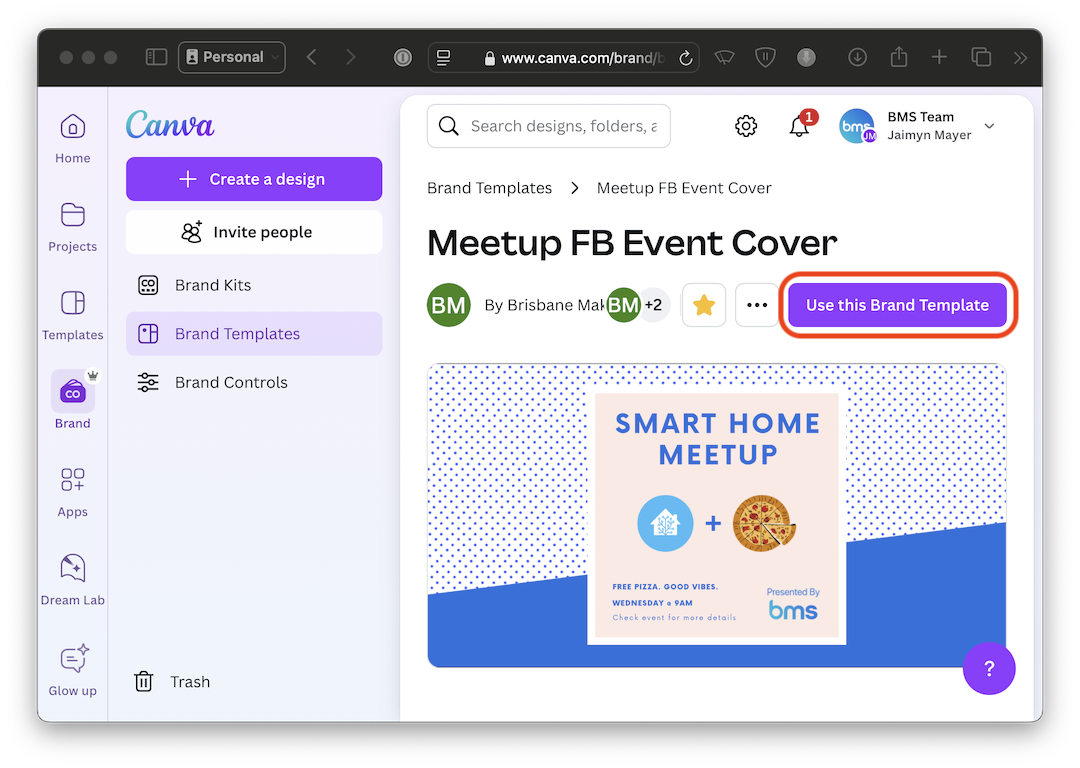
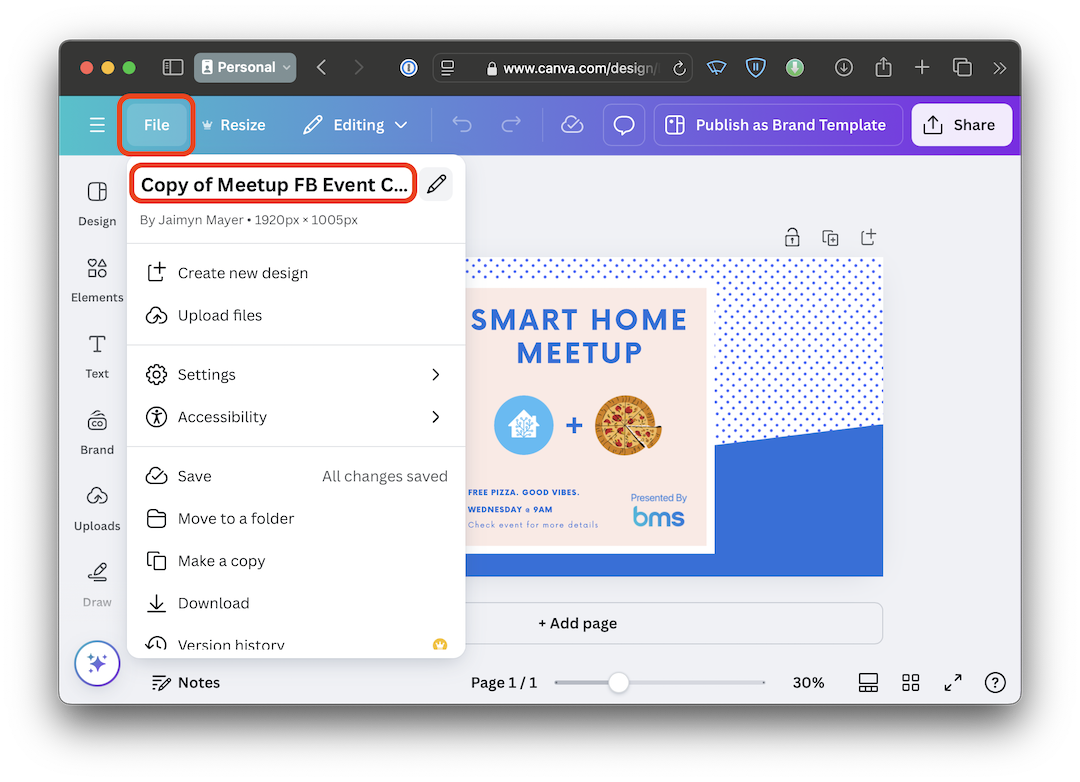
- Once the copy has been opened, make sure to update the name. You can do this by tapping the "File" button, tapping the existing name (or the "edit" icon) and typing in a new one. It will auto-save.